Feb 12, 2026
Framer vs Webflow vs WordPress: Which Website Builder is Right for You? (2026)
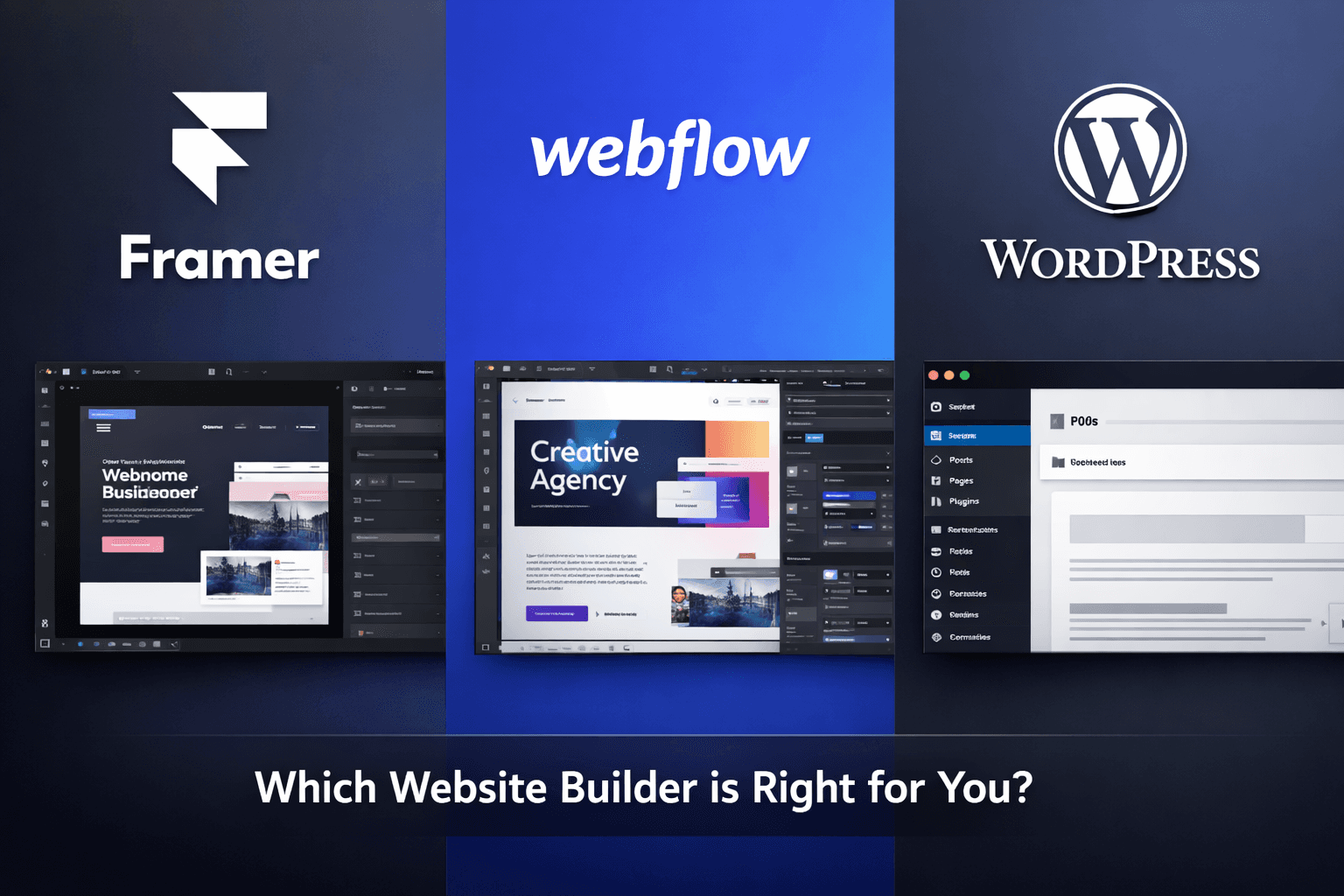
Choosing the right website builder can make or break your web project. Whether you're a designer launching a portfolio, a startup building a landing page, or an agency creating client sites, the platform you choose impacts everything from design flexibility to long-term maintenance costs.
In this comprehensive guide, we'll compare three of the most popular website builders in 2026: Framer, Webflow, and WordPress. We'll break down their strengths, weaknesses, pricing, and ideal use cases to help you make an informed decision.
What is Framer?
Framer started as a prototyping tool for designers and evolved into a full-fledged website builder. It bridges the gap between design and development, allowing you to create production-ready websites using a familiar canvas-based interface.
Key Strengths of Framer
1. Designer-First Interface If you've used Figma, Sketch, or any design tool, Framer feels instantly familiar. You work on a canvas, drag elements, and adjust properties in a visual panel. There's no need to think about code unless you want to.
2. Built-In Animations and Interactions Framer excels at creating smooth, sophisticated animations without coding. Scroll-triggered effects, hover states, and page transitions that would require custom JavaScript elsewhere are point-and-click in Framer.
3. Component-Based Workflow Create reusable components with variants, overrides, and properties—just like in Figma. This makes maintaining design consistency across pages effortless.
4. Real React Under the Hood For developers, Framer generates actual React code. You can add custom code components, use npm packages, and integrate with any API. It's a true no-code-to-code platform.
5. Lightning-Fast Performance Framer sites are optimized by default. Clean code, automatic image optimization, and built-in CDN ensure your site loads quickly without manual optimization.
Limitations of Framer
1. Limited E-commerce Features While Framer supports basic product displays and checkout (via Lemon Squeezy integration), it's not built for full-scale online stores with inventory management, complex shipping rules, or customer accounts.
2. Smaller Ecosystem Compared to WordPress's 60,000+ plugins or Webflow's extensive template marketplace, Framer has fewer third-party integrations and templates (though this is rapidly growing).
3. CMS Constraints Framer's CMS is great for blogs and portfolios but lacks advanced features like user roles, complex content relationships, or multi-language support that larger projects might need.
4. Learning Curve for Non-Designers While easier than coding, Framer assumes some design knowledge. Understanding concepts like auto-layout, constraints, and component hierarchy helps you work efficiently.
Ideal Use Cases for Framer
Landing pages and marketing sites for startups
Design portfolios and agency websites
Interactive product showcases
SaaS marketing sites with animations
MVP websites that need to launch quickly
Projects where design polish matters most
Pricing: Free plan available. Paid plans start at $5/month for basic sites, $15/month for CMS features.
What is Webflow?
Webflow is a visual development platform that gives designers complete control over HTML, CSS, and JavaScript without writing code. It's like having the power of custom coding with the speed of visual design.
Key Strengths of Webflow
1. Pixel-Perfect Design Control Webflow provides more granular control than any other no-code builder. Every CSS property is accessible visually. You can create complex layouts with CSS Grid, Flexbox, and custom breakpoints that would normally require hand-coding.
2. Powerful CMS Webflow's CMS is robust enough for complex content needs. Create custom content types, set up dynamic pages, use conditional visibility, and build filtered collections. It's perfect for blogs, directories, and content-heavy sites.
3. Advanced E-commerce Webflow's e-commerce platform handles product variants, inventory tracking, custom checkout flows, and integrates with payment processors. It's suitable for serious online stores, not just basic product pages.
4. Clean, Production-Ready Code Webflow generates semantic HTML and clean CSS. The code is readable, optimized, and follows best practices. Many developers use Webflow to prototype before building custom solutions.
5. Enterprise-Grade Features Advanced features like user authentication, role-based permissions, custom code injection, and collaboration tools make Webflow viable for large-scale projects.
Limitations of Webflow
1. Steeper Learning Curve Webflow expects you to understand web development concepts. You need to know how CSS works, what flexbox and grid are, and how the box model functions. It's not beginner-friendly if you have zero web knowledge.
2. Higher Price Point Webflow is more expensive than Framer. Basic plans start at $14/month, and you'll likely need the $29/month plan for serious projects. E-commerce plans start at $29/month plus transaction fees.
3. Animation Limitations While Webflow has great animation capabilities, complex scroll-triggered effects or physics-based animations require custom code. Framer makes these easier out of the box.
4. Performance Overhead Webflow sites can become heavy if you're not careful. The visual builder can add unnecessary CSS classes and wrapper elements that bloat page size. Optimization requires discipline.
Ideal Use Cases for Webflow
Marketing websites for B2B companies
Content-heavy sites (blogs, magazines, directories)
E-commerce stores with 50-500 products
Client projects where design control is critical
Sites requiring custom CMS structures
Projects with ongoing content updates
Pricing: Free plan for prototyping. Site plans start at $14/month for basic sites, $29/month for CMS. E-commerce starts at $29/month.
What is WordPress?
WordPress powers over 43% of all websites on the internet. Originally a blogging platform, it evolved into a comprehensive content management system that can handle everything from simple blogs to enterprise websites.
Key Strengths of WordPress
1. Unmatched Flexibility With 60,000+ plugins and 10,000+ themes, WordPress can become anything: e-commerce store, membership site, learning platform, directory, forum, or portfolio. If you can imagine it, there's probably a plugin for it.
2. Complete Content Management WordPress's content management is the gold standard. Advanced user roles, revision history, scheduled publishing, taxonomies, custom post types, and multi-site networks make it perfect for complex publishing needs.
3. SEO Powerhouse Plugins like Yoast SEO, Rank Math, and All in One SEO provide granular control over every SEO aspect. WordPress's clean URL structure and semantic markup make it search-engine friendly out of the box.
4. Massive Community and Resources Stuck on something? Thousands of tutorials, forums, and developers can help. This ecosystem means solutions exist for almost any problem.
5. True Ownership Unlike hosted platforms, you own your WordPress site completely. Export your data anytime, move to any host, and never worry about platform lock-in.
Limitations of WordPress
1. Maintenance Burden WordPress requires ongoing maintenance: plugin updates, theme updates, core updates, security patches, database optimization, and backup management. It's not set-it-and-forget-it.
2. Security Concerns Being the most popular platform makes WordPress a target. Vulnerable plugins or outdated installations can be hacked. You need security plugins, regular updates, and vigilance.
3. Performance Challenges Out of the box, WordPress can be slow. Too many plugins, unoptimized images, or cheap hosting hurt performance. You'll need caching plugins, CDN setup, and optimization knowledge.
4. Design Limitations (with Traditional Themes) While page builders like Elementor and Divi offer visual design, traditional WordPress themes are restrictive. Custom design often requires developer knowledge or expensive custom themes.
5. Hosting Complexity You're responsible for hosting. Choosing a host, managing server resources, handling SSL certificates, and troubleshooting server issues add complexity that hosted platforms handle for you.
Ideal Use Cases for WordPress
Blogs and content-focused websites
E-commerce stores (especially with WooCommerce)
Membership sites and online communities
Multi-site networks
Sites requiring extensive third-party integrations
Projects where complete data ownership matters
Enterprise websites with complex requirements
Pricing: WordPress software is free. Costs include hosting ($5-100+/month), premium themes ($30-200), plugins ($0-300+/year), and potentially developer time.
Head-to-Head Comparison
Design Freedom and Creative Control
Winner: Tie between Framer and Webflow
Both offer pixel-perfect design control that WordPress (without heavy customization) can't match. Framer wins for animation and interaction design. Webflow wins for responsive design control and CSS precision. WordPress relies on themes or page builders that can feel limiting.
Ease of Use
Winner: Framer
Framer's design-tool interface feels intuitive for designers. Webflow requires understanding web development concepts. WordPress is easy to start blogging but becomes complex when you need customization. For someone with design experience but no coding knowledge, Framer is the smoothest path.
Content Management
Winner: WordPress
WordPress built its reputation on content management, and it shows. Advanced taxonomies, user roles, revision history, and scheduling surpass what Framer or Webflow offer. For content-heavy sites with multiple authors, WordPress is unmatched.
E-commerce Capabilities
Winner: WordPress (WooCommerce) for complex stores, Webflow for medium-sized stores
WooCommerce handles thousands of products, complex inventory, subscriptions, memberships, and extensive customization. Webflow's e-commerce works beautifully for 50-500 products with standard needs. Framer is suitable only for simple product showcases or external checkout integrations.
Performance and Speed
Winner: Framer
Framer sites are optimized by default with minimal bloat. Webflow sites perform well but can become heavy without careful optimization. WordPress performance varies wildly based on hosting, plugins, and optimization—it can be fast but requires effort.
SEO Features
Winner: WordPress
While all three can rank well in search engines, WordPress plugins provide the most granular SEO control. Webflow has excellent built-in SEO features. Framer covers SEO basics well but lacks advanced features without custom code.
Cost (Total Cost of Ownership)
Winner: Framer for simple sites, WordPress for complex sites
Framer: Predictable monthly fee covers everything. No hosting headaches or plugin costs.
Webflow: Higher base cost but all-inclusive. Enterprise features get expensive.
WordPress: Seems cheap (free software) but costs add up: hosting, premium plugins, themes, security, potentially developer time. For a basic blog, it's cheapest. For a complex site requiring premium plugins and hosting, it can exceed Webflow's cost.
Long-Term Scalability
Winner: WordPress
WordPress can grow from a simple blog to a complex ecosystem with millions of visitors. The plugin architecture allows adding any feature imaginable. Webflow scales well for content but has platform limitations. Framer is excellent for marketing sites but not built for complex applications.
Decision Framework: Which Should You Choose?
Choose Framer if:
You're a designer or have design experience
You need beautiful animations without coding
You're launching a startup landing page or marketing site
Speed to market matters most
You want a maintenance-free, hosted solution
Your site needs fewer than 100 content pages
You value design polish over extensive features
You're building a portfolio, agency site, or SaaS marketing site
Choose Webflow if:
You understand web development concepts (or want to learn)
You need advanced CMS features
You're building client sites professionally
You need medium-scale e-commerce (50-500 products)
You want pixel-perfect responsive design control
You need team collaboration features
You're creating content-heavy sites (blogs, directories, magazines)
You want clean code output for potential future migration
Choose WordPress if:
You're building a content-focused site (blog, news site)
You need extensive third-party integrations
You're launching an e-commerce store with complex needs
You want complete data ownership and control
You need advanced user management and permissions
Budget flexibility matters (start cheap, add features as needed)
You have technical support or don't mind learning
You're building a membership site, forum, or learning platform
Can You Combine Them?
Many successful projects use multiple platforms:
Framer for marketing + WordPress for blog: Use Framer for your beautiful landing pages and product pages, then WordPress for the content-heavy blog. Link between them seamlessly.
Webflow for main site + WordPress for store: Build your marketing site in Webflow where design matters, then handle complex e-commerce in WordPress/WooCommerce.
Framer for MVP + Webflow for scale: Launch fast with Framer, then rebuild in Webflow when you need more advanced CMS or e-commerce features.
Migration Between Platforms
Can you switch later? Yes, but with varying difficulty:
Framer → Webflow: Requires rebuild. Design can be recreated, but interactions may need reconfiguration.
Webflow → WordPress: Easier. You can export Webflow code and integrate it into WordPress, though you'll lose the visual editor.
WordPress → Framer/Webflow: Content exports easily via CSV/API. Design requires complete rebuild, but content (blog posts, products) migrates straightforwardly.
Pro tip: Keep your content in a headless CMS (like Sanity or Contentful) to make platform changes easier in the future.
Final Recommendations
For most designers and creative professionals: Start with Framer. Its balance of power and ease-of-use lets you create stunning sites quickly. As your project grows, reassess if you've outgrown it.
For professional web designers and agencies: Webflow provides the control and features you need for client work. The learning investment pays off with the ability to deliver custom designs without custom development costs.
For content creators, bloggers, and complex businesses: WordPress remains the most versatile choice. The maintenance overhead is real, but the flexibility and ecosystem are unmatched for content-heavy or feature-complex sites.
Remember: the "best" platform isn't universal—it depends on your specific needs, skills, and goals. Start by identifying your project requirements, then choose the tool that aligns with them. All three platforms are excellent; they just excel at different things.